A few days ago I published a review of the K2 on YouTube and below are my thoughts in blog format.
You can watch the video here (in case the above iframe doesn't work): https://www.youtube.com/watch?v=AbXfcY-VGSc
Disclaimer
Before we get stuck into this review, I want to put a disclaimer that I purchased this printer with my own money using Creality.com website (the UK version) for £330 and this is not a sponsored video/blog post. Creality has no idea that I am doing this review.
Why K2 and why now?
Now there are 2 main reasons why I wanted to try out the K2:
First is that I have some experience with Creality printers, my first ever printer being the Ender 3 and my current printer is Ender 5 (although I have heavily modded it since 2021).
And the second reason is that the K2 has been out since August 2025 so I expected that Creality would fix early release issues that often come up in the initial months of new 3D printers.
Current setup - good ol' Ender 5
My current printer is an Ender 5 all the way back from 2021 – this means that pretty much any printer I buy now will be a massive upgrade over my current setup. I have modded it by adding a direct drive extruder and Raspberry Pi for remote printing. It has performed great over the years, printing PLA, PETG, TPU and sometimes ABS too with a sophisticated enclosure (a cardboard box from Amazon). I probably printed over 1000 hours over the years on it. So while it is a reliable printer, I wanted to get an upgrade with more quality of life features and something faster as well.
Specs of K2
Going back to the K2, on paper, the specs look good - coreXY printer with a 260 by 260 by 260 print volume (slightly larger than the usual 256mm for many printers out there). Nozzle max temperature is 300c and bed maxes out at 110c. It has all of the quality of life features we’d expect from a modern printer like automatic bed levelling, WiFi connection, filament runout sensor, camera, AI print detection, fast print speeds and a bunch of calibration that should make it plug and print, at least in theory anyway.
Unboxing experience
Let's get to the unboxing experience. It came with a chunky box and was well packaged. Setup probably takes 10-15 mins, you’ll need to unscrew 2 screws on each side of the bed and undo a couple of these clips that hold the bed rails in place. One annoying thing that I found during the assembly, is the ribbon cable for the touchscreen is a bit too short and getting the head into the terminal was a bit fiddly.
When I was moving the K2 around, I kind of wished that Creality included handles on the side because the printer is relatively large and weighs 18kg. And since it is essentially a cube, carrying it is awkward. The panels on the left and right are blacked out anyway so I think they missed an opportunity with potential handles.
Calibration and bed levelling
Anyway, in true 3d printing tradition, I printed this 3D Benchy with Creality’s provided white PLA. It came out nicely, although I noticed that the bottom layer showed that the nozzle was a little bit too high from the bed.
To adjust the Z offset, I had to go into the expert mode and I could only change the offset when the K2 was printing. Also, there is no save button so I had to use Fluidd’s UI to save the existing z offset because otherwise it will reset after each print. Now this was an overall negative experience and I wish Creality made it more user friendly - at least being able to save the z-offset in real time.
Printing with PETG
Next I moved to PETG, where a lot of my issues started. I used an old PETG roll of filament from a couple of years ago and I encountered a couple of problems:
First, the extruder would keep getting clogged with each print and I would need to use the provided needle to clear it.
Second, the models that did print became brittle and they were easy to break off.
Now these 2 issues I have not experienced with the Ender 5. To troubleshoot, I tried adjusting temperatures, cooling and retractions in Creality Print but these issues wouldn’t go away. Although then I tried Orca Slicer (using creality k2 max profile there), and then it printed fine. Kind of strange, right?
Apart from that, PETG printed well for me, especially when I switched to Hyper PETG from Creality. I noticed some of my prints had fine wisps but I think that’s somewhat common with this material and it is not the end of the world for me personally.
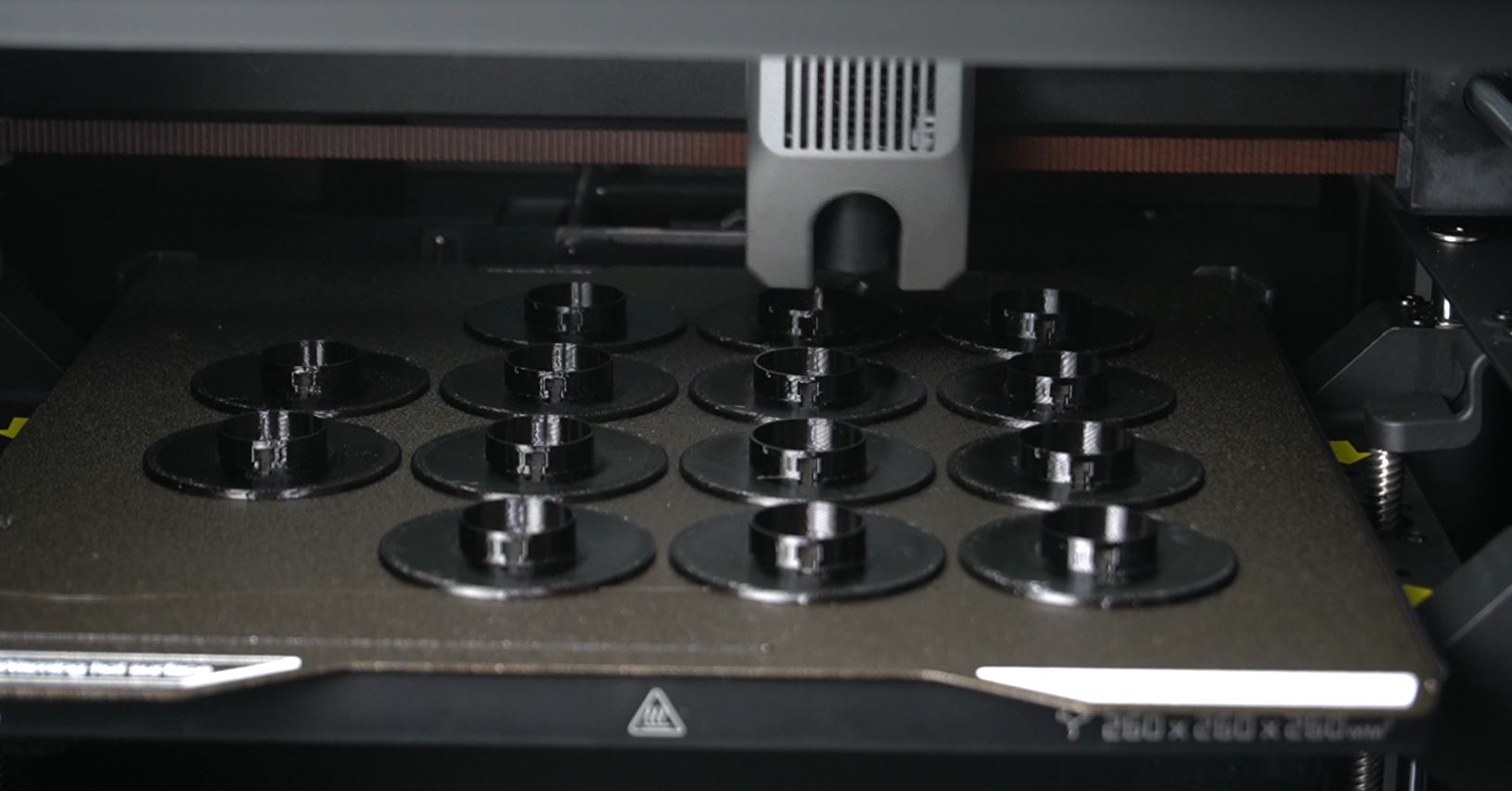
Printing with Creality's Hyper PETG worked great - stuck to bed without issues and no clogging.
Printing with TPU
Then I tried TPU with a Shore hardness of 90A. Now Creality does not advertise that the K2 works with TPU, however, 25% of my models are printed with flexible filaments so it is important to me that it works. And unfortunately, it does not. When I tried to print a Benchy, the extruder would clog after a few layers. To troubleshoot, I tried printing without the PTFE tube and feeding my TPU filament directly into the extruder, which didn’t work. Further, I tried using these special spacers that are supposed to release the tension of the spring in the extruder, which also didn’t work. Orca Slicer couldn’t help here either. The clogs would continue no matter what I did.
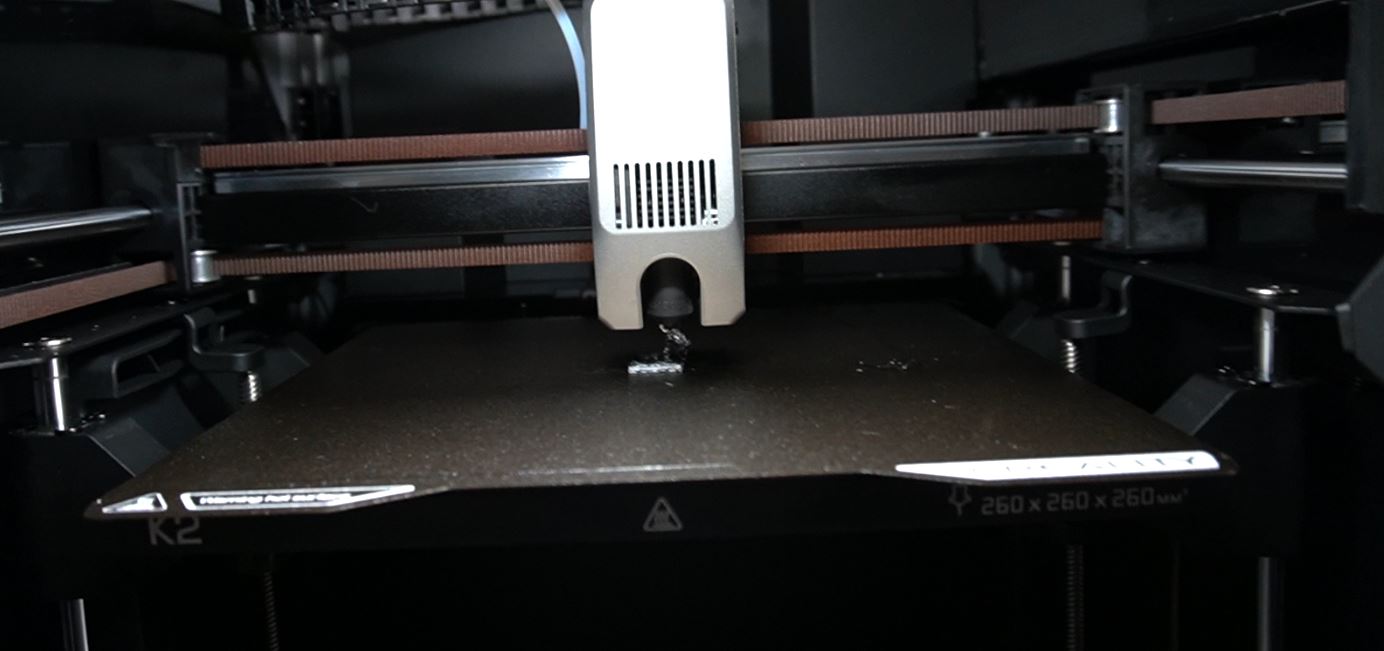
Printing with TPU (without any mods and model sliced by Creality Print), would get clogged after a few layers
Printing with ABS
Disappointed by my TPU adventures, I switched to ABS. Here I had better success. ABS printed well, no clogs and minimal warping due to the temperature controlled chamber.
The only downside to this is that after each ABS print, I would smell a strong sense of ABS fumes. The K2 does have a filter at the back with a dedicated fan but I don’t think it works well. So if you’re planning to print ABS, you’d either need to do it in a well ventilated room or DIY a filtration system.
Other features like WiFi, AI detection and startup times
So after printing with PLA, ABS and PETG, I appreciated how fast the K2 is, but it is kind of expected due to the core XY kinematics. Like the first Benchy that I printed took something like 20 mins. On a bed slinger, it could be an hour plus. On the topic of speed, I also appreciated how quick the nozzle and the bed can get up to temperatures.
The other feature I liked is that the WiFi worked reliably and it never disconnected me randomly. I just had to connect to my network at the start, find the local IP address and access it via creality print and my browser. This is a way better experience than with Octoprint where you have to mess around with micro sd cards and editing the config file to set up the connection.
One feature I was really looking forward to was the AI detection. In the majority of cases when I had a failed print, the AI detection would do nothing and I have only seen it pause a print like once or twice out of hundreds of prints that I’ve done. So I think this AI feature definitely needs more refinement and I wouldn’t call it production grade yet.
And kind of related to software, I also noticed that the firmware startup time is a bit slow, I don’t know what kind of processes they are running in the background but it takes almost one full minute for the screen to stop loading and become interactive. I know it wouldn’t be a fair comparison but with my Ender 5 (a 5 year old printer), the startup takes probably 5 seconds. Although obviously it doesn’t have the same level of features as the K2. So I hope Creality can improve the loading times when the K2 is first powered on.
A couple of other other points:
- The camera access seems to be locked to Creality Print and is not accessible in the Fluidd UI or Orca Slicer.
- I reached out to Creality to ask about the camera lock in and also Orca Slicer profile for the k2 - no reply from them a week later.
- Noise - this is a relatively loud printer. It has many fans and also fast motors that are buzzing and whizzing away during printing. However, these things are necessary for fast printers, so I don’t think I can fault K2 for it. Just be mindful that it can be pretty noisy.
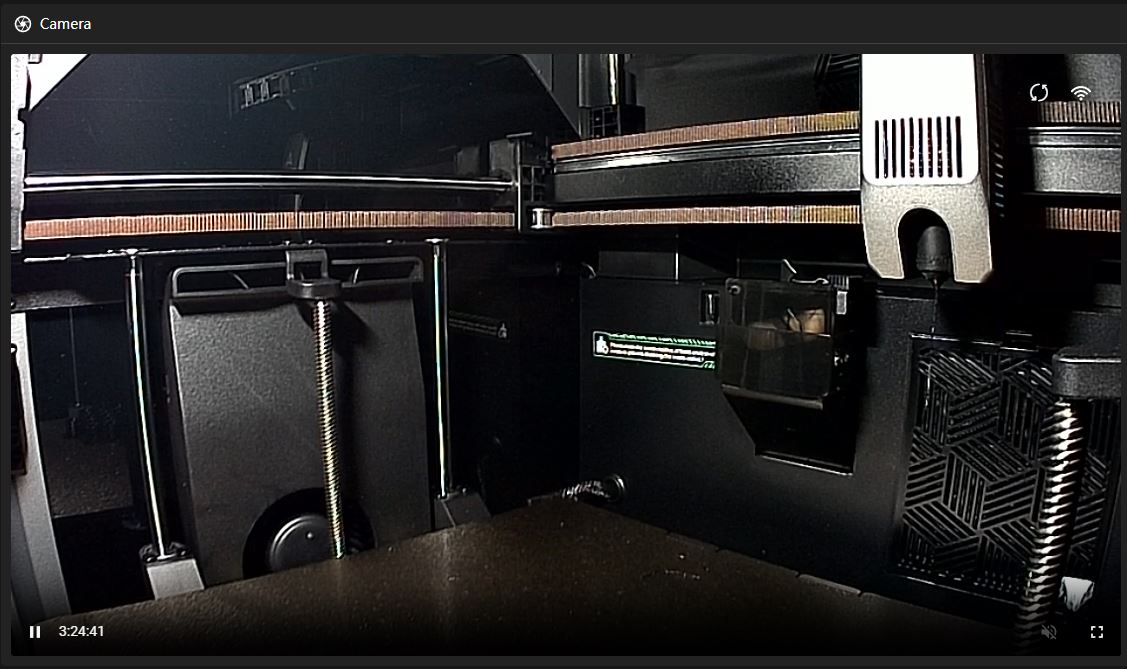
Camera quality on K2 - by default, it is only accessible via Creality Print
Summary of Creality K2
What I liked about the K2
- Fast 3D printer
- Has good quality of life features
- Build volume is more than enough
- PLA and ABS works great
What I didn’t like
- It doesn’t really work with TPU
- The AI detection is unreliable, didn’t work in majority of cases for me and needs improvement
- Bed levelling experience is stuck in 2019
- Z offset adjustment needs to be changed
Overall, I think the K2 is a decent printer. It is reasonably priced, fast and has some nice features that makes it an averagely good printer in 2026.
Is it a good printer to buy? I’ll say this:
If you have some experience with 3d printers and want to spend the time tuning it, then yes, I’d say it might be a good printer for you, but there are better alternatives out there for the same price.
If you are looking for a plug and print printer, then I don’t think this is the right one for you.